Use participant data in flows
Most of the information we have about a message or conversation is part of the regular message fields in Genesys. But some data that can be usefull can't be sent in any default field. We still send this data so that if you would need to access it you can. This data is available in the participant data. In the reference you can find all the data that we send.
How to
To use this data you will need to get it in the flow you use for the account you receive the messages on. When you edit this flow in Architect you can add the Get participant data action from Toolbox -> Data -> Get participant data to it.
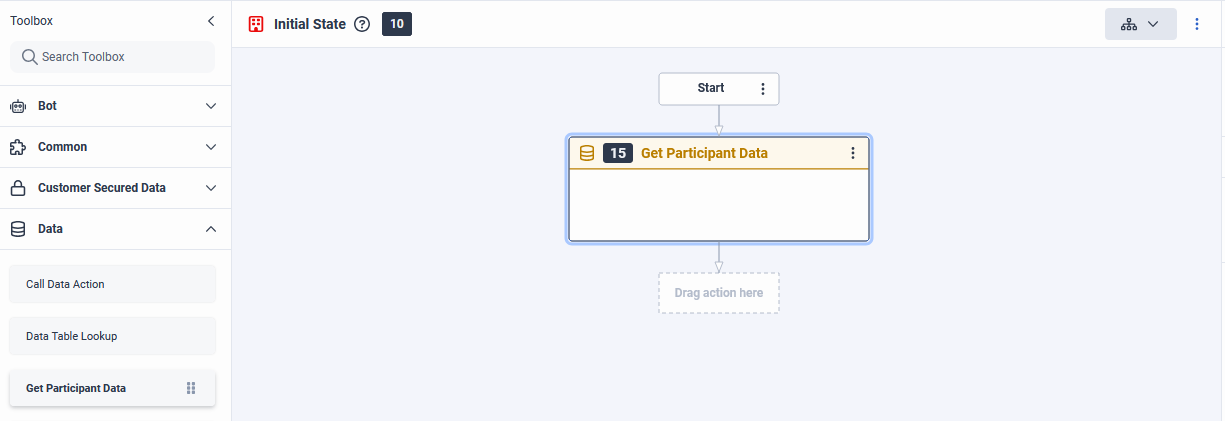
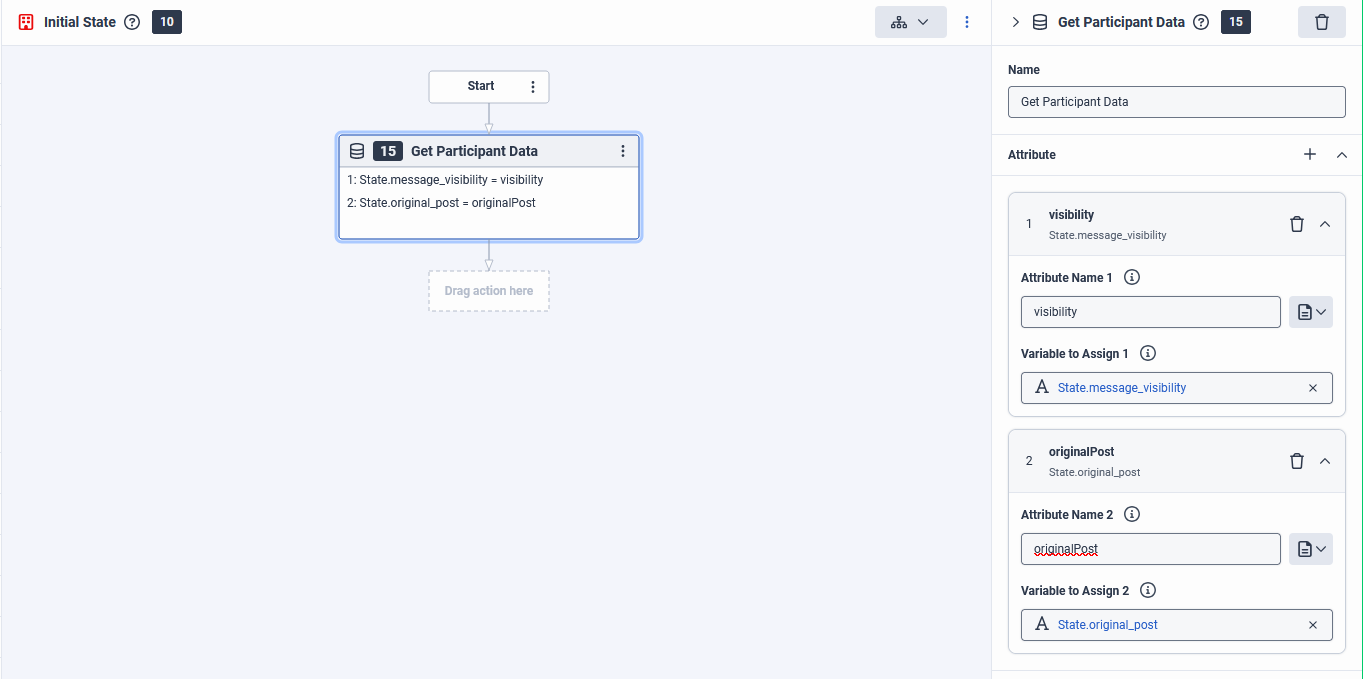
If you then click on it you can add the attributes you want to use by clicking +. Then adding one of the attribute
names from the reference below. For example visibility. Then you can assign it to a variable that you
can use at any point in the flow. In our example below we assign it to the State.message_visibility variable. You can
repeat this for each property you might need.
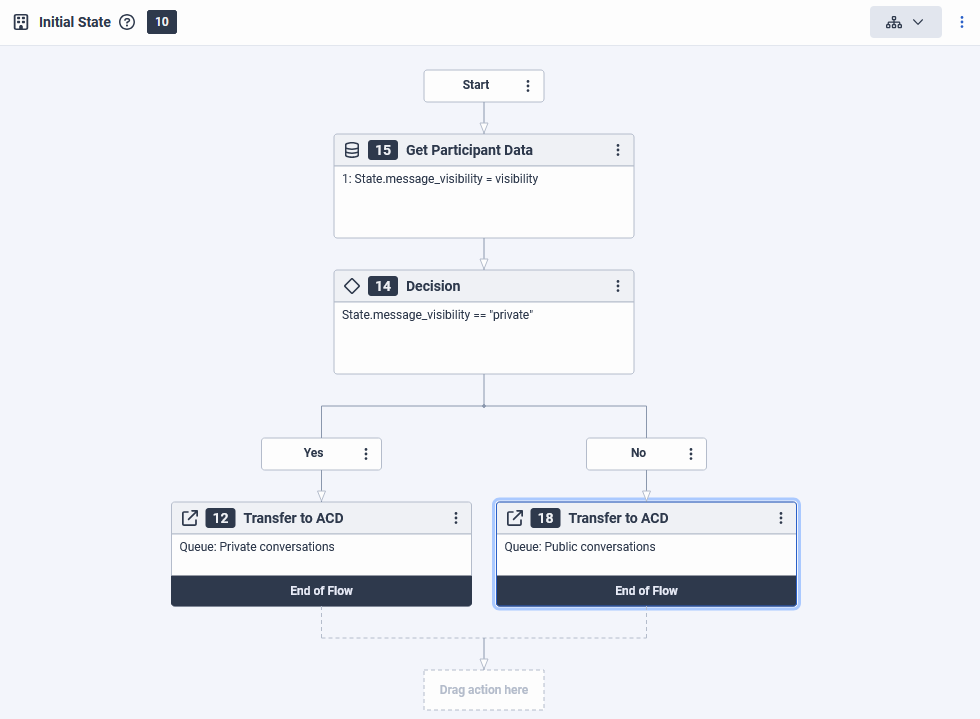
Routing public and private messages to different queues
You can use this functionality to handle private messages differently from public comments. To do this you will first
get the visibility data from the participant data. We then use this in a decision. In this decision we check for the
private visibility because both public and hidden are used for public comments, so checking on private for the
decision is the cleanest. Then you could transfer it to a queue for private conversations on yes, and for public
conversations on no.
Reference
Below all the data we send in the participant data. The name is formatted like this and its data type like that.
Message visibility
visibility string
The visibility of this message. You can use this to differentiate between private and public conversations. Identify which public comments are hidden, which usually means it is still exists on the platform but can only be seen by the author and your account.
Possible values
privateFor private messagespublicFor public comments, replies on comments, etc.hiddenWhen a public comment is not publically visible anymore
The original post of a comment
originalPost string
This field will be filled with the URL of the post on the channel under which this is a comment.
Only filled when the visibility is public or hidden.
Comment parent Id
parentId string
This contains the unique id for the post/ad/etc. that this was a comment under. This id is only unique for the account/open messaging channel this was sent to. It could be that there is an overlap between different accounts or between accounts on different social media platforms.
Only filled when the visibility is public or hidden.
Comment sub parent id
subParentId string
When the comment is a reply to another comment this field will be filled with the id of that comment.
Only filled when the visibility is public or hidden.