Rich messages
In version 1.6.0 we've added support for different type of message formats we call "Rich messages". These formats are meant for the Client (customer) to have a more interactive experience.
We have 3 types of Rich messages: Quick replies (released in 1.4.0, Buttons, Carousel
Quick replies
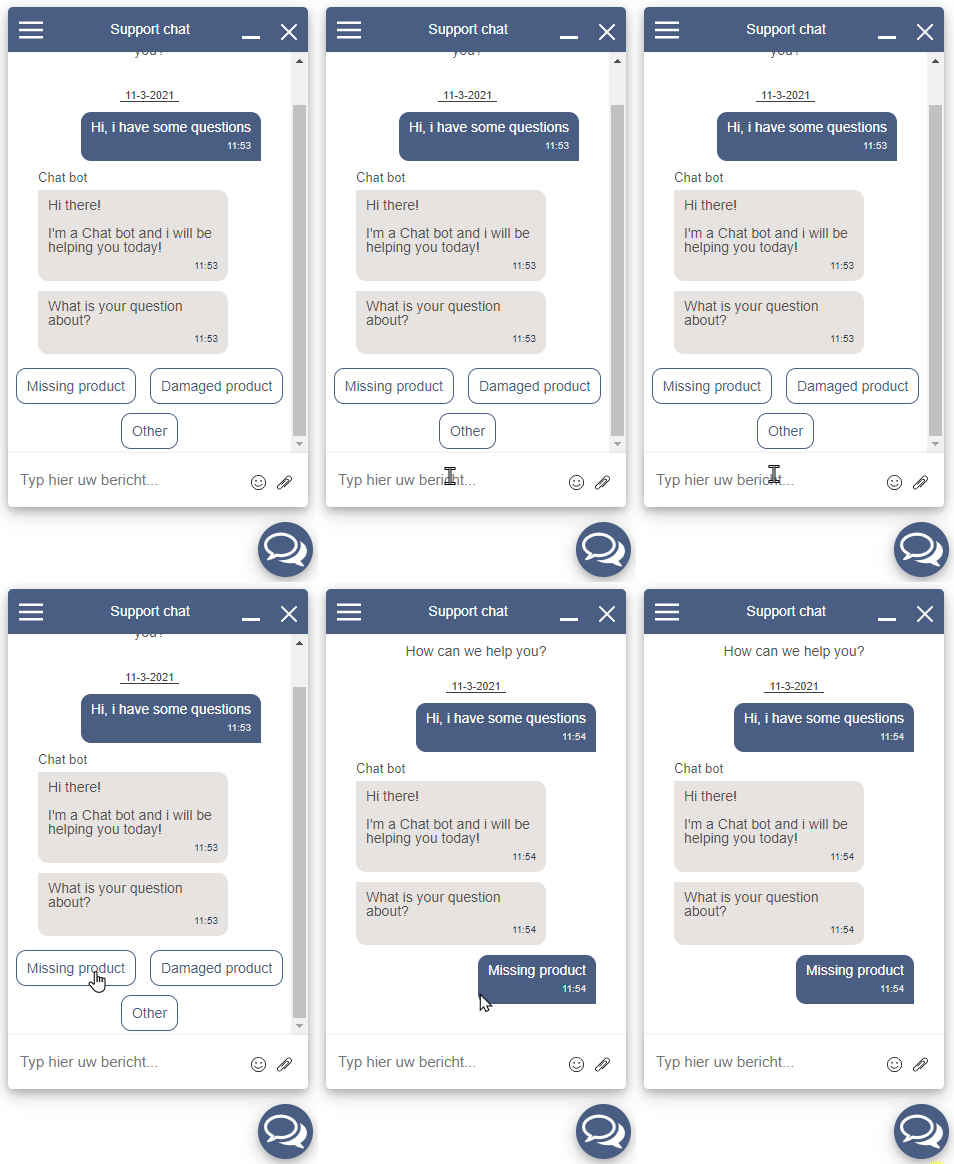
Quick-replies are buttons the Client can click to automatically send the text (in the button) as a response. This way you can let your Chat-Bot easily suggest answers/choices to the Client.
Note: They only appear if they are the last message in the conversation. If the Client/Service sends a message after them, they will not re-appear.
A demonstration of how Quick-replies work
Buttons
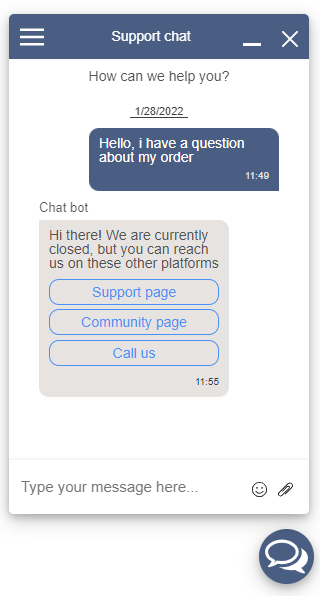
Buttons can be clicked by the client. They are meant to let the Client perform a certain action. These buttons will always stay in the conversation and because of this the Client can click on them multiple times, take that into consideration when adding actions to these buttons.
There are 3 types of buttons:
- webUrl: When clicked it will navigate the client to a new webpage url
- phoneNumber: When clicked it will start the OS's call app to call a phone number
- reply: When clicked, the text will be sent by the client as a new message
Screenshot of how the buttons look in the chat
Carousel
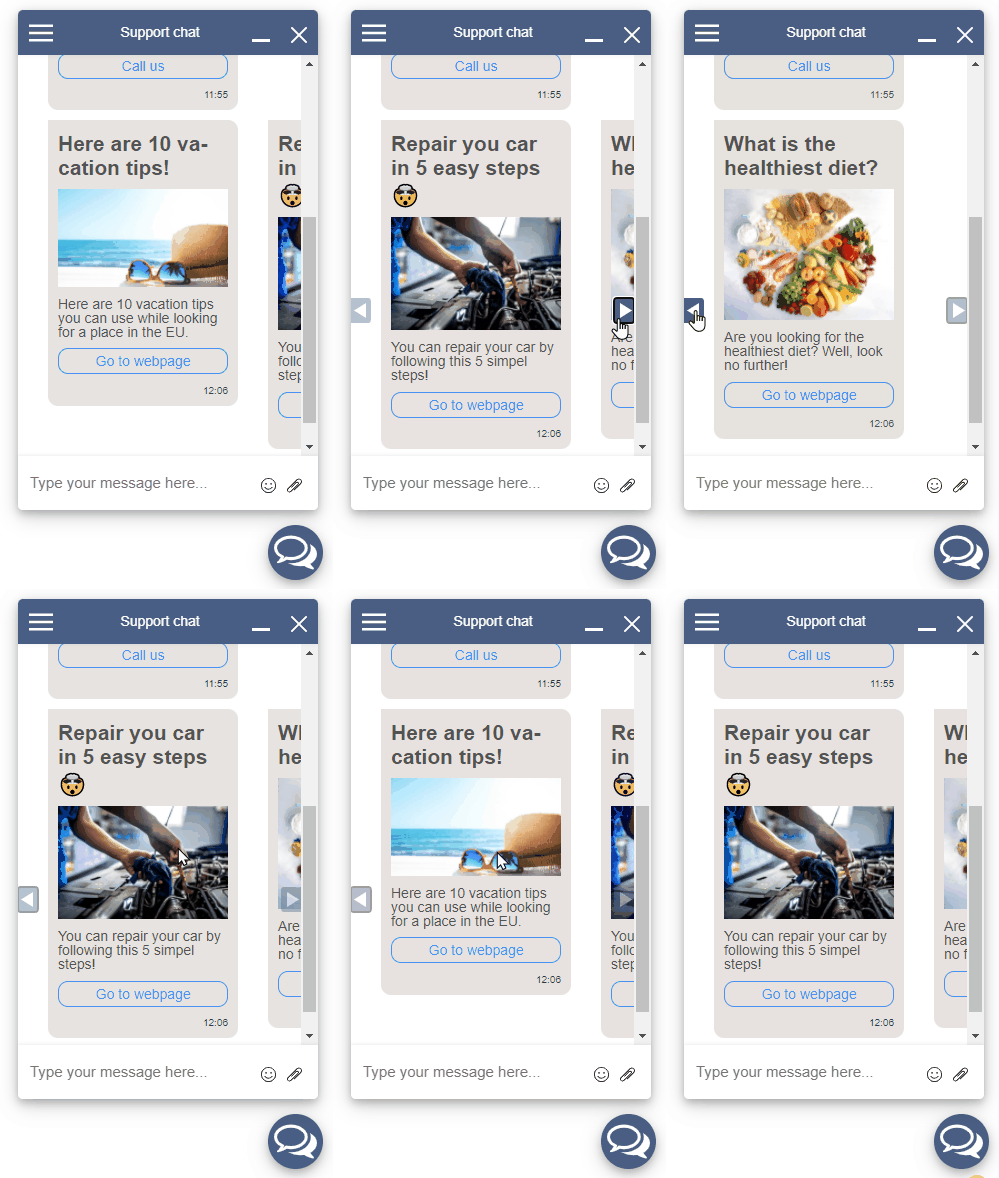
Carousels are a collection of different components. A message can contain multiple carousels which will be placed horizontally on the same line. This makes it possible for the client to scroll through the different carousels with navigation buttons to scroll left and right. You can also scroll natively with your mouse using your horizontal scroll function (SHIFT+scroll on windows).
Carousels can contain anything a normal message contains, so stuff like images, buttons, titles. For more information on what you can send to the client, take a look at the Service API documentation
A demonstration of how Carousels work